---
title: "Supplier Returns Listing (SRN)"
url: "https://help.healthbridgenova.co.za/en/article/supplier-returns-listing-srn"
language: "en"
last_updated: "2026-04-14T11:19:22.998Z"
---
# Supplier Returns Listing (SRN)
The Supplier Return Note (SRN) is a crucial tool for managing and tracking items that must be sent back to a vendor. It provides a digital audit trail for all stock leaving your practice, typically due to issues like damage, expiration, or incorrect delivery.
### **How to create create a Supplier Return Note(SRN)**
Once the item is in Quarantine, you can generate the official return note.
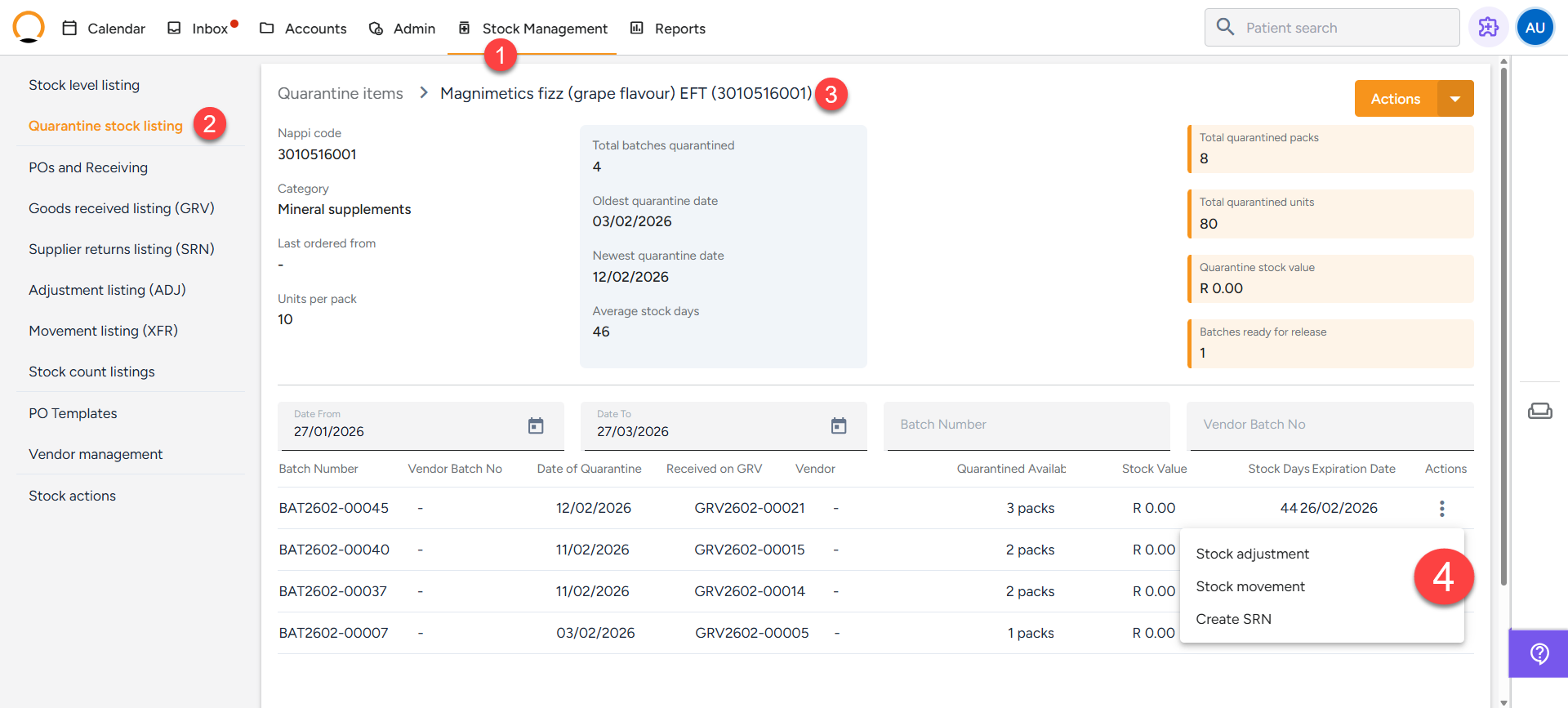
1. Navigate to the "**Stock Management"** tab.
2. Select the **"Quarantine Listing"** option.
3. Select the specific item you wish to return.
4. Click **Initiate Supplier Return**.
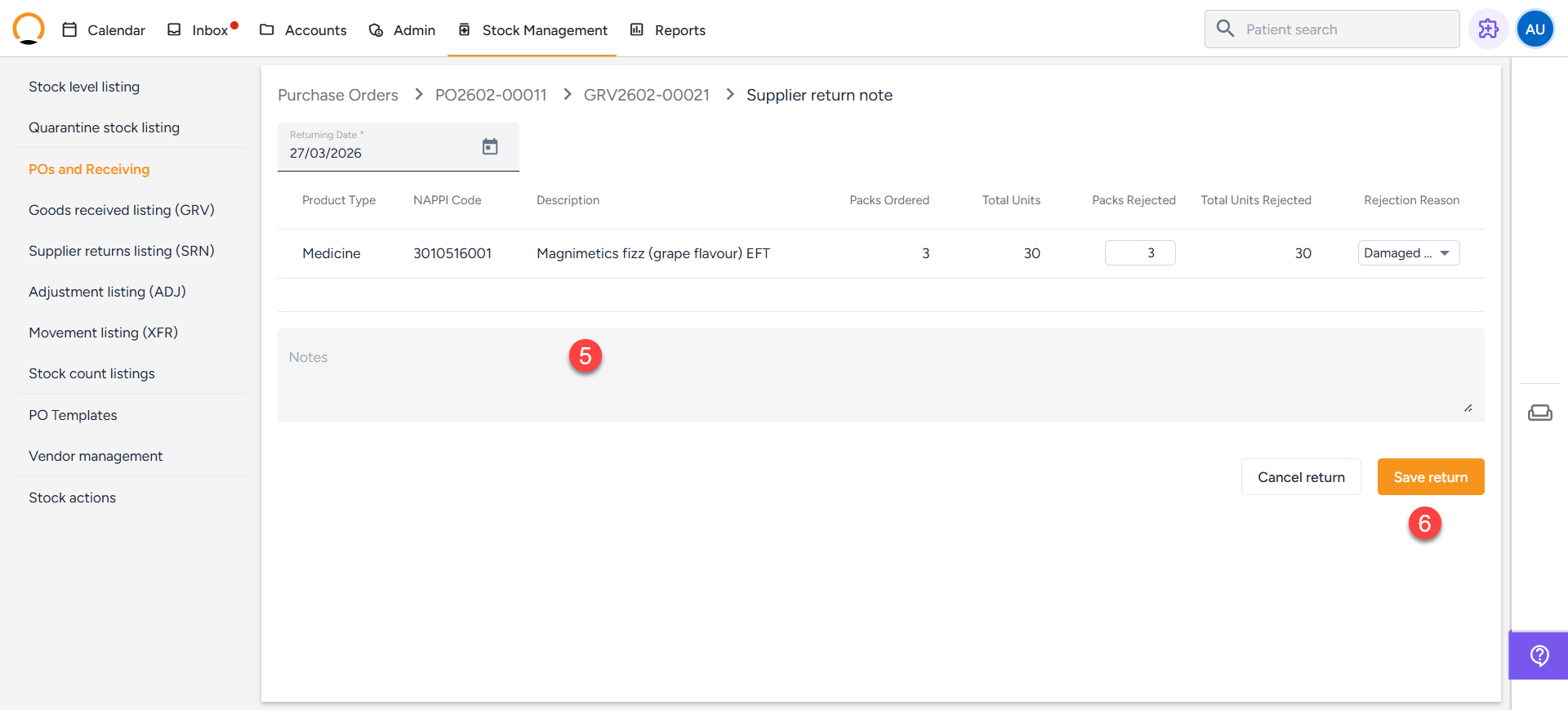
5. Fill in the required details:
- **Reason:** (e.g., Broken thermometers, short-dated stock).
- **Quantity:** The amount being returned.
- **Link:** Ensure it is linked to the related PO or delivery.
6. Submit the form. The system will now create an entry in the **SRN Listing**.
| **NB:** Before you can process a return, the stock **must** be linked to a **Goods Received Voucher (GRV)**.
- The system cannot process supplier returns for stock added via the "Stock Take On" tab (manual entry without a PO).
- Returns are only possible if you followed the correct workflow: **Purchase Order (PO) ➡ Goods Received Voucher (GRV)**.
- Items cannot be returned directly from the shelf; they must first be moved to the **Quarantine** bin. |
| --- |