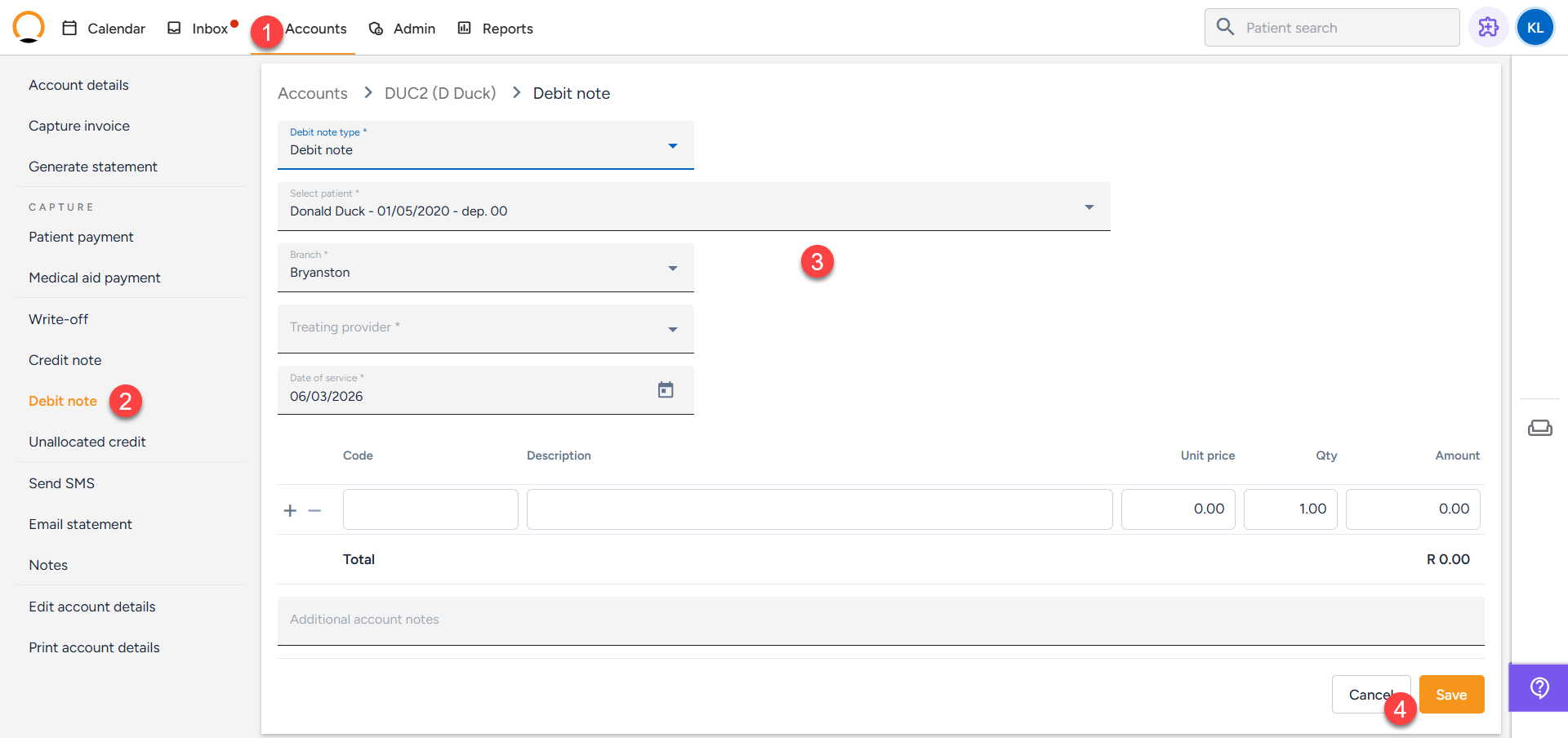
How to add a Debit Note
A debit note increases a patient’s outstanding balance and, as the counterpart to a credit note, is used for precise account adjustments requiring extra charges. It formally records debit transactions outside regular invoices.
How to add a Debit Note
- Click on the "Accounts Tab" and search the required account.
- Select the "Debit Note" option.
- Complete the details for the debit note
- Select "Save".