Quarantine Stock Listing
Defective items or items that have failed quality checks are moved here. It ensures they aren’t dispensed until reviewed.
Items that are defective, expired, or fail quality inspections are placed in a designated area for review. This allows you to track reasons for quarantine,for example "rain damage" and decide whether to reintroduce the item into stock or dispose of it. Following this process helps prevent errors in stock management.
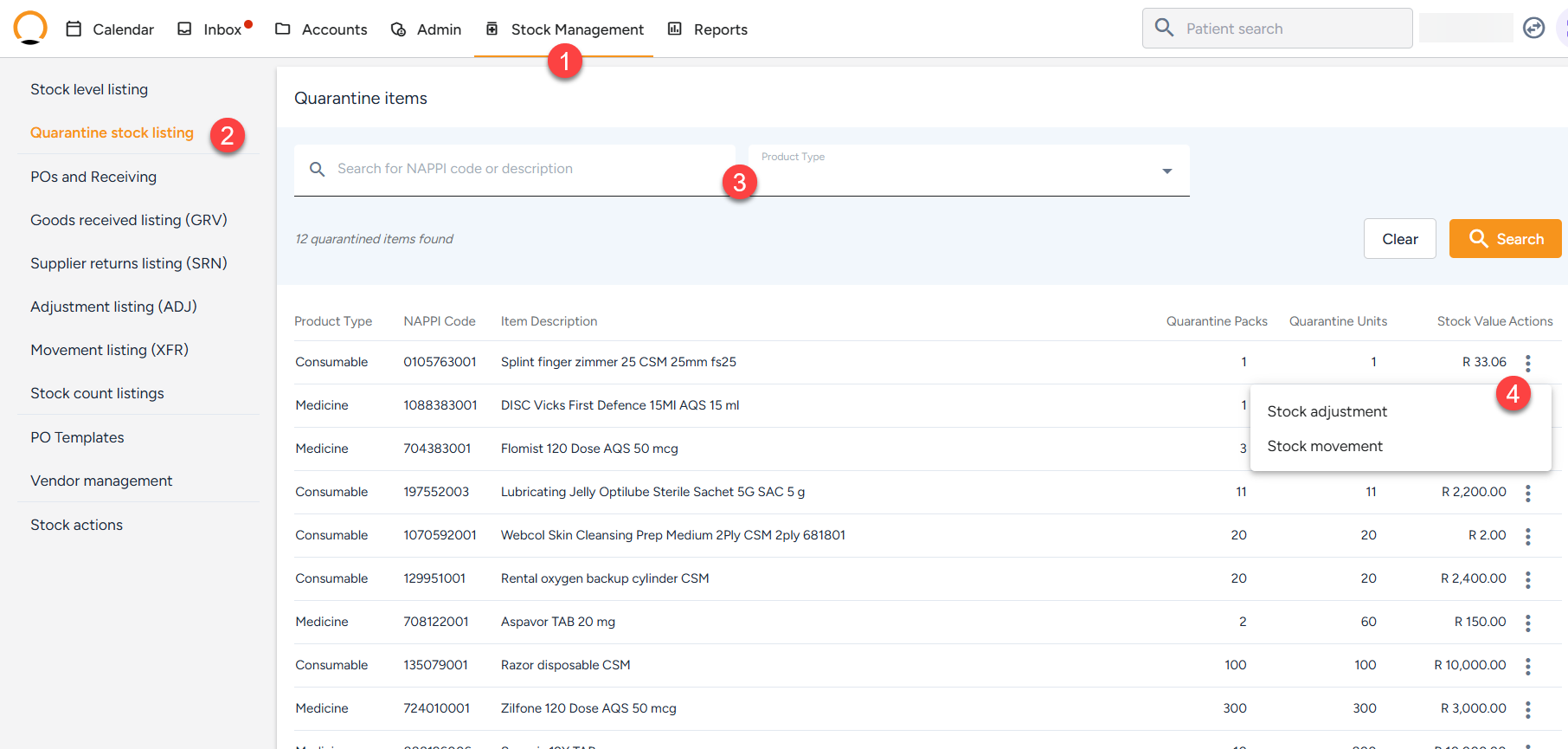
- Navigate to the "Stock Management" tab.
- Select the "Quarantine Listing" option from the left menu option.
- Search for the specific stock item either by "Nappi code" or "Product Type.
- The user can also select the "Actions" option to complete "Stock Adjustment", "Stock Movement".
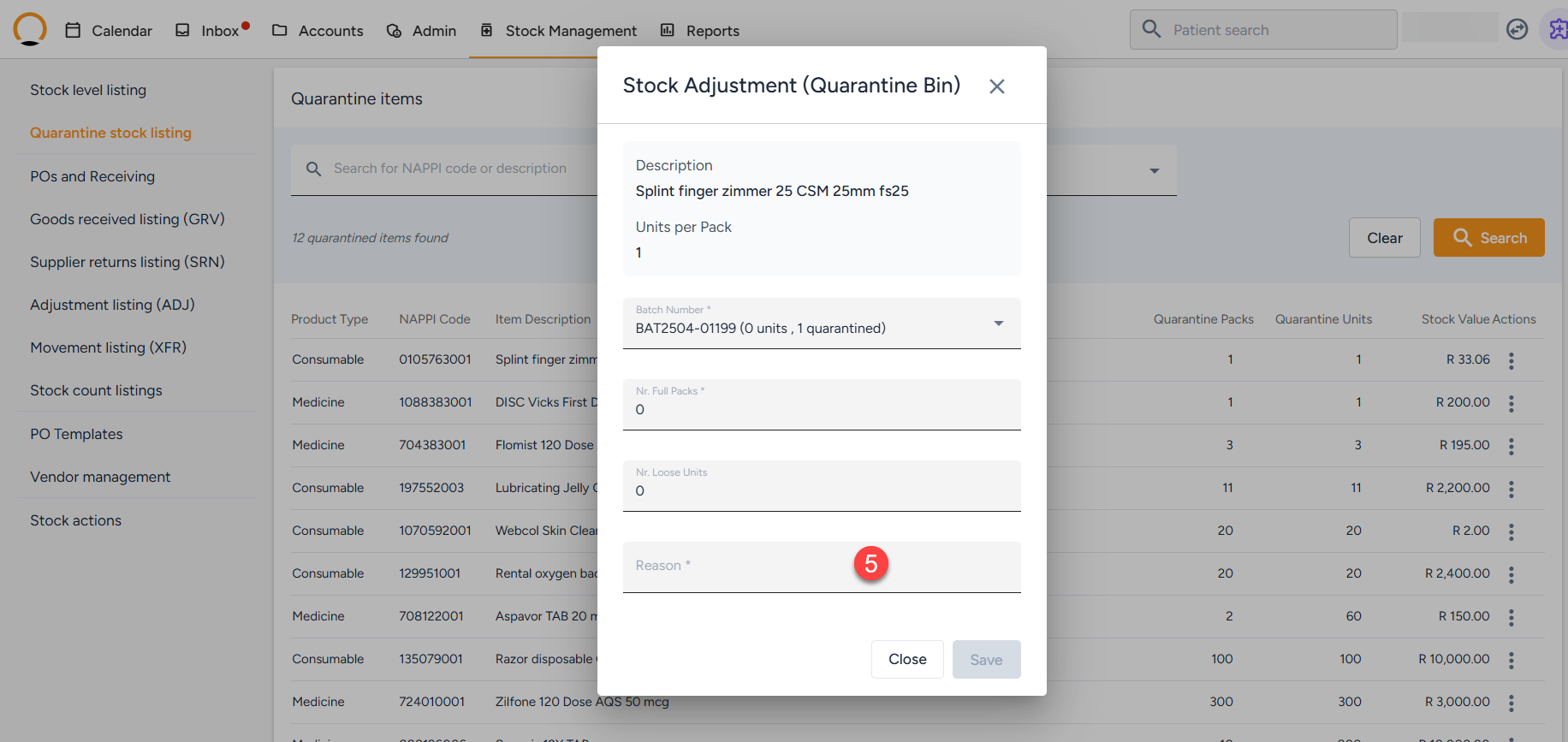
- Describe/complete the reason for quarantine and save.