
Supplier Returns Listing (SRN)
The Supplier Return Note (SRN) is a crucial tool for managing and tracking items that must be sent back to a vendor. It provides a digital audit trail for all stock leaving your practice, typically due to issues like damage, expiration, or incorrect delivery.
How to create create a Supplier Return Note(SRN)
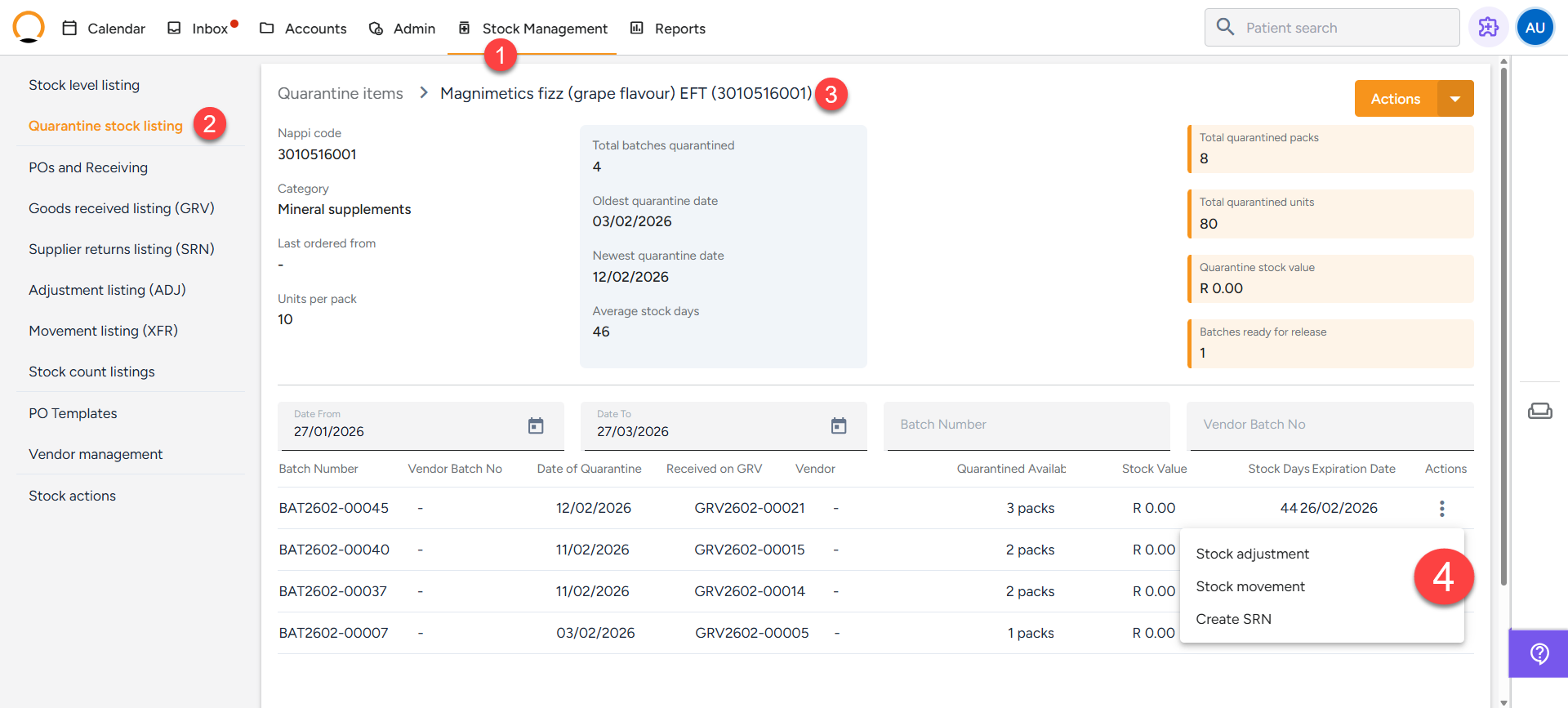
Once the item is in Quarantine, you can generate the official return note.
- Navigate to the "Stock Management" tab.
- Select the "Quarantine Listing" option.
- Select the specific item you wish to return.
- Click Initiate Supplier Return.
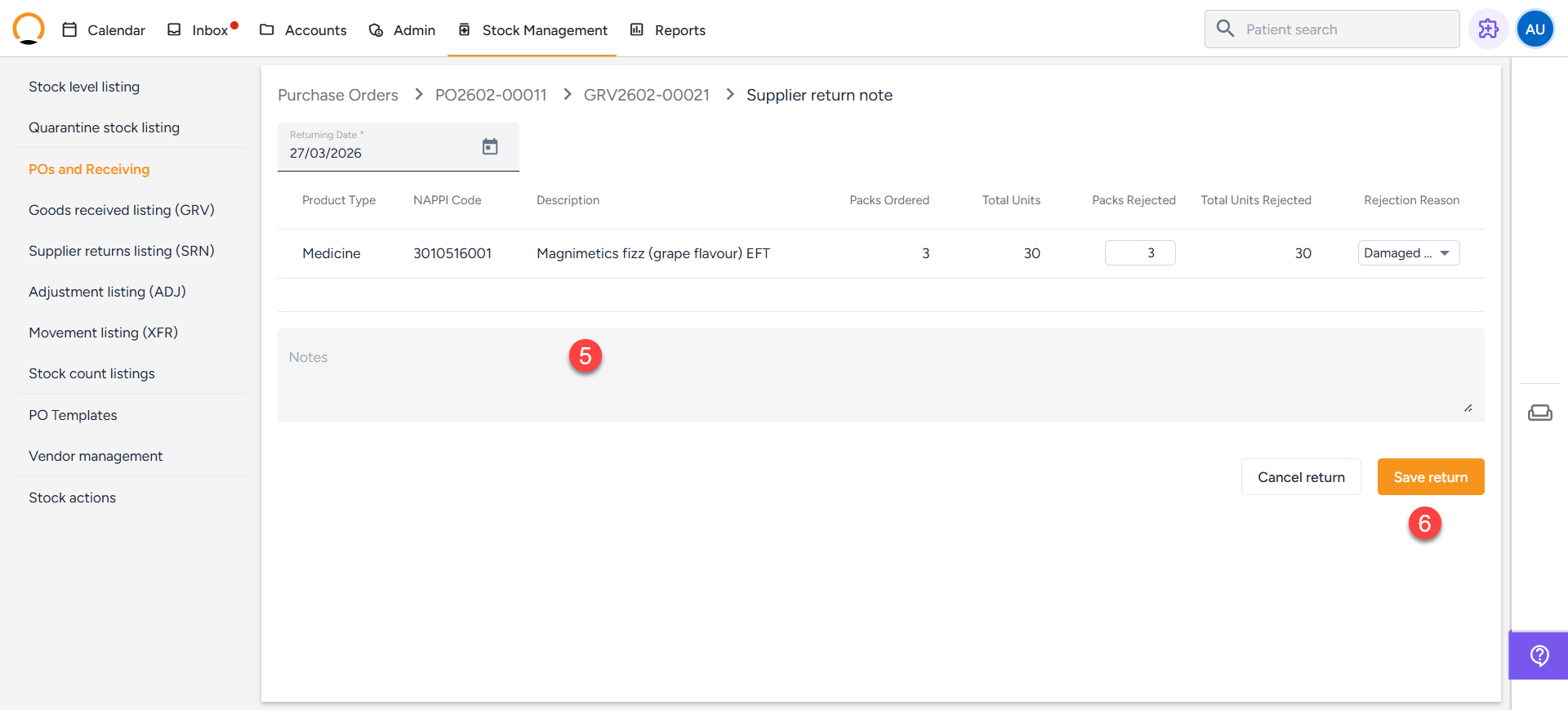
- Fill in the required details:
- Reason: (e.g., Broken thermometers, short-dated stock).
- Quantity: The amount being returned.
- Link: Ensure it is linked to the related PO or delivery.
- Submit the form. The system will now create an entry in the SRN Listing.
NB: Before you can process a return, the stock must be linked to a Goods Received Voucher (GRV).
|