
How to cancel a cash Invoice
How to cancel a cash invoice
Included in the invoices the user has the functionality too cancel a cash invoice that have been captured. This allows the users to correct cash invoices that have been captured incorrectly.
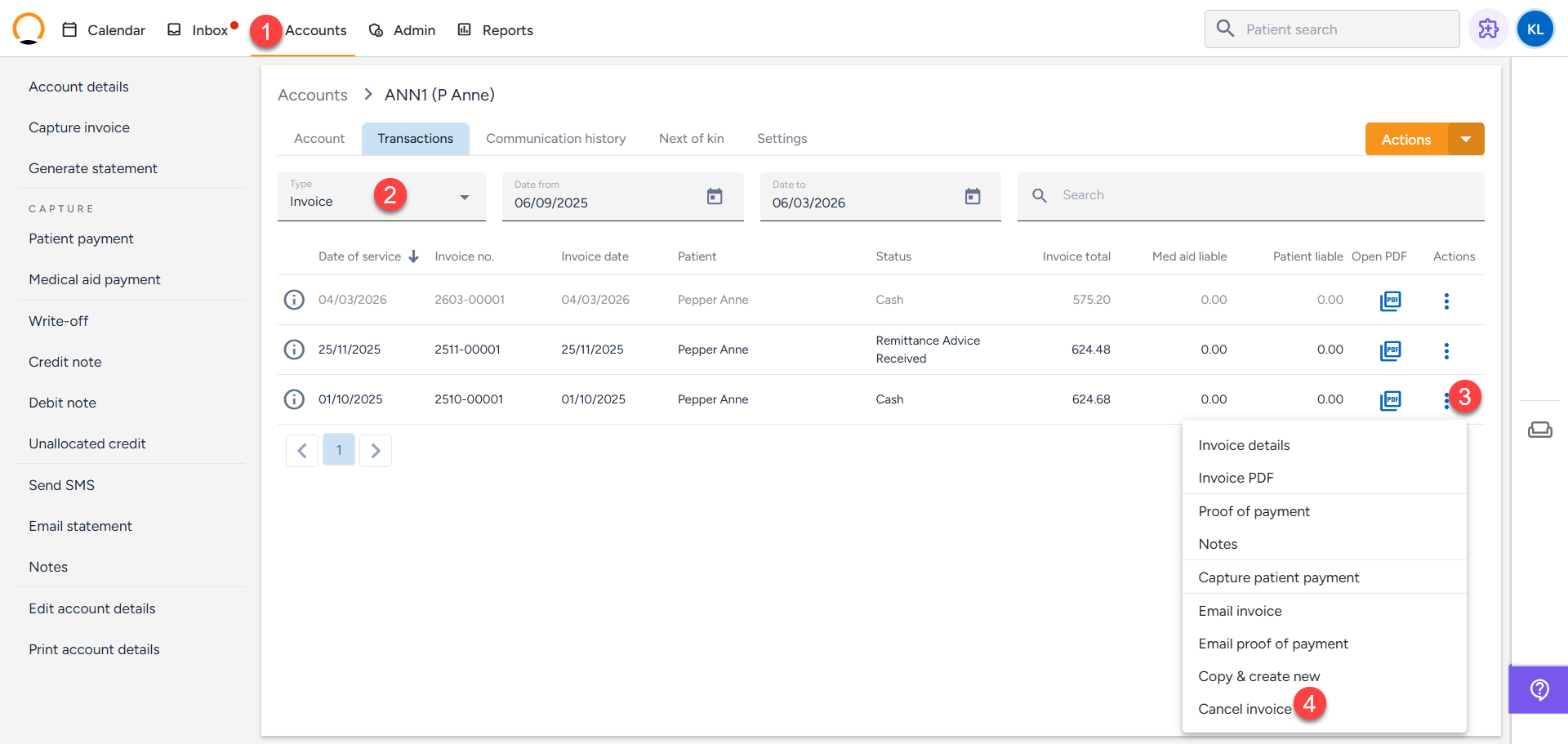
- Click on the "Accounts Tab" and search the required account.
- Select "Transactions" and ensure "Invoices" are selected under "Type".
- Select the "Actions" option for the invoice that requires to be cancelled.
- Select "Cancel Invoice".
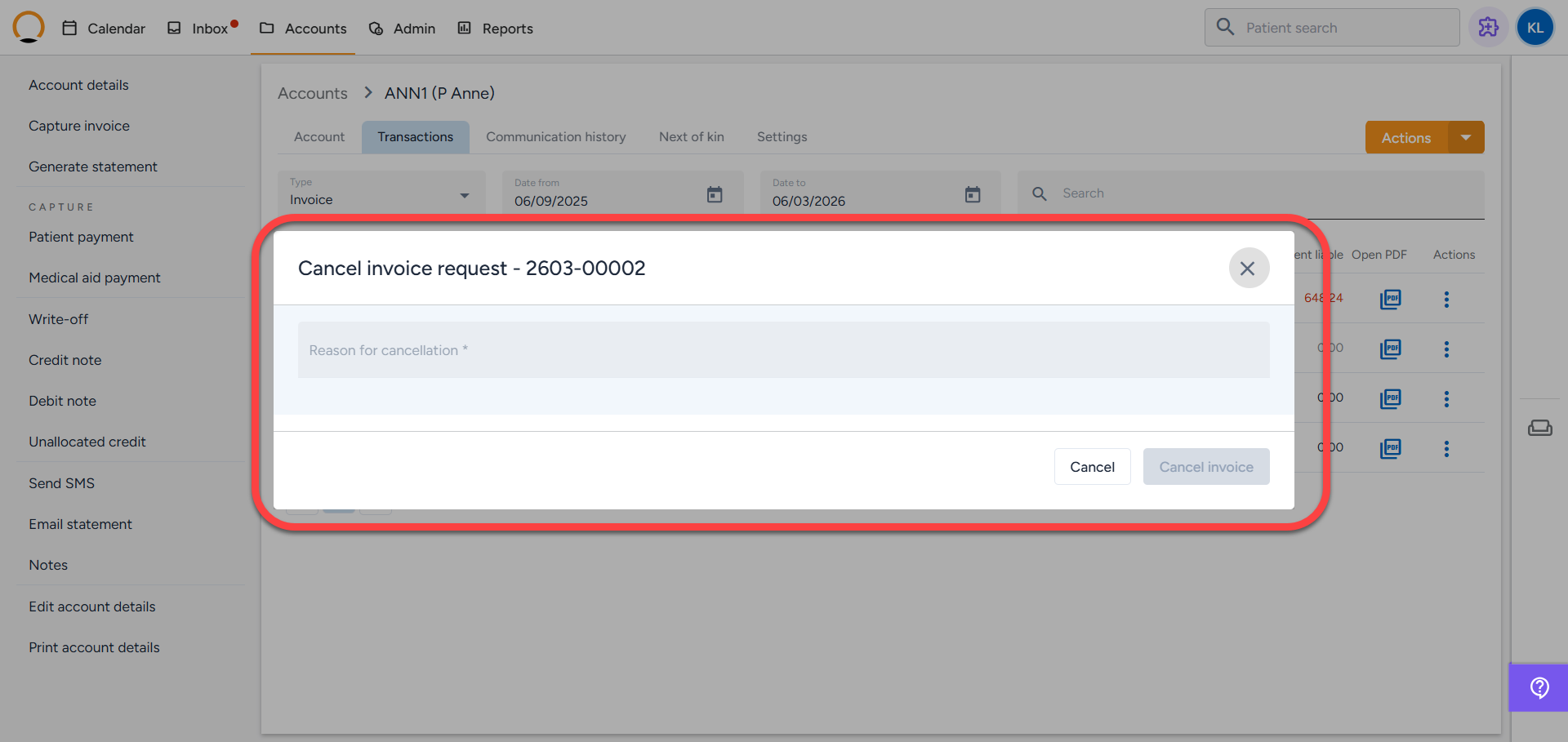
5. Add a reason for cancelling the invoice and select "Cancel Invoice".
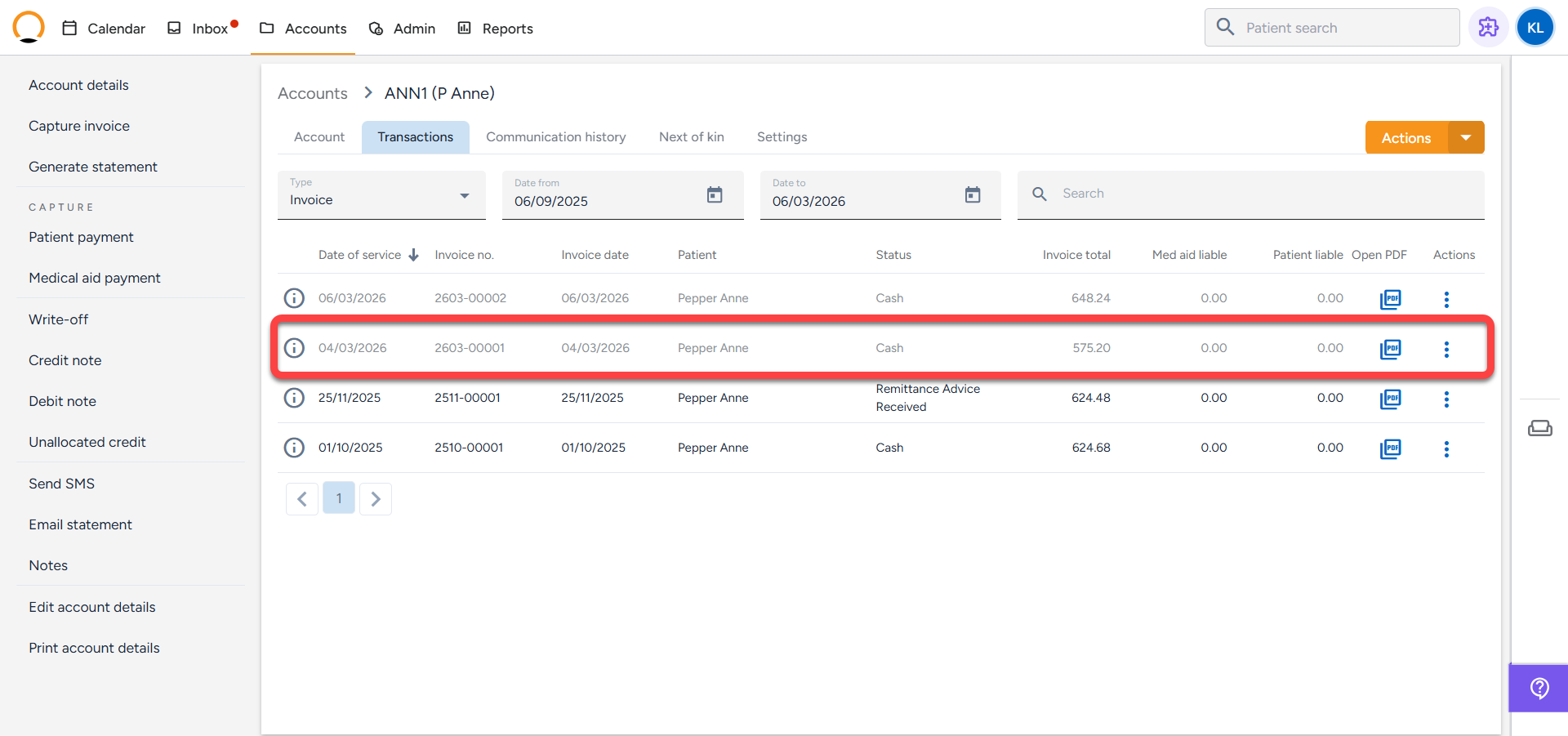
6.Once the invoice is cancelled, the invoice will now reflect as R0.00 under "Patient Liable".
| Note: This process only applies to cash invoices. |