Stock Movement
A Stock Movement is used when you need to change the location of an item without changing the overall quantity in your system . This is most commonly used to transfer items between your Dispensing Bin and your Quarantine Bin, or between different branches
How to complete a Stock movement
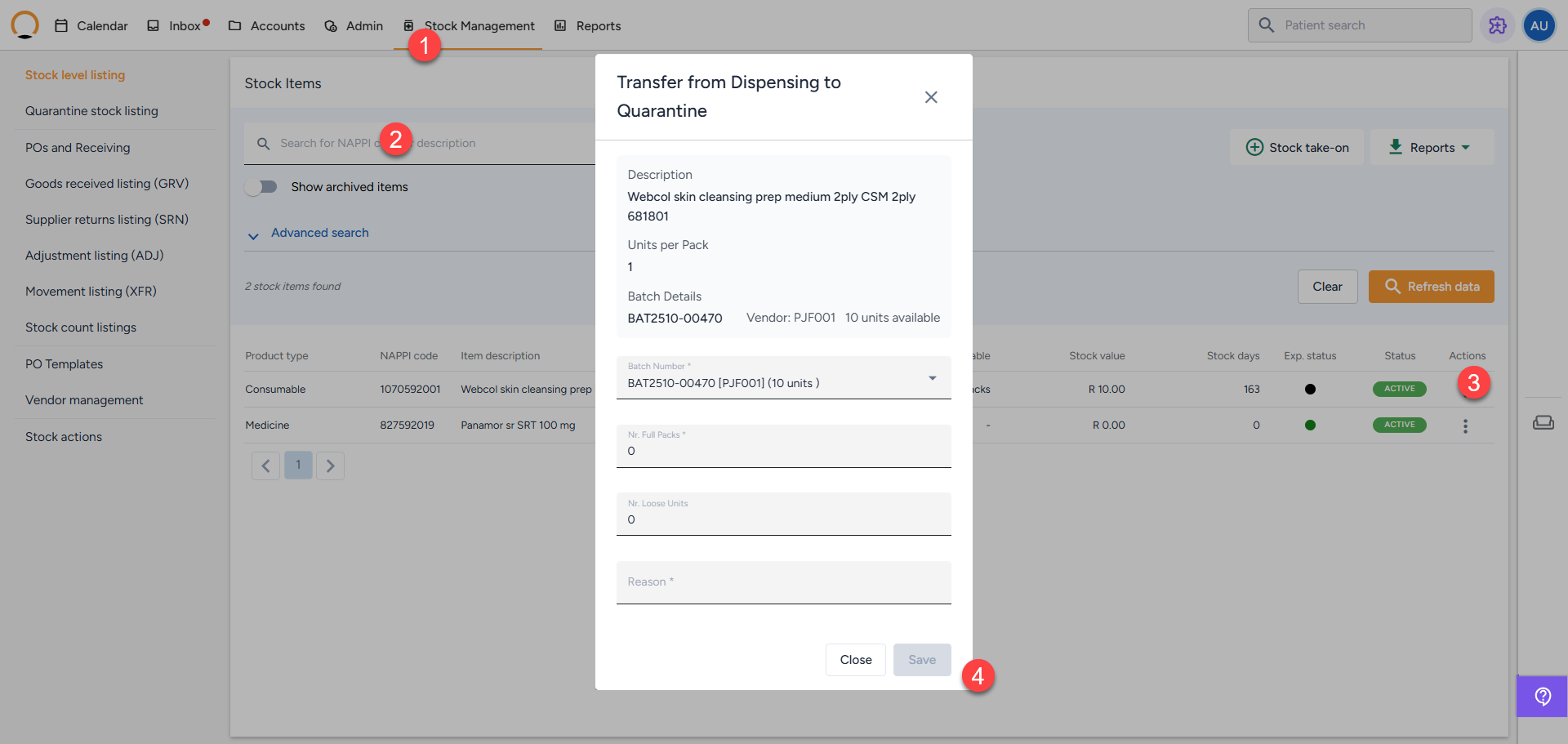
- Navigate to Stock Management and click on "Stock level listing" (or the Quarantine stock listing if you are moving an item out of quarantine).
- Search for the specific item that requires to be moved
- Select "Stock movement" options located under the "Actions" column next to the item.
- Fill in the Movement Details In the pop-up window, complete the required information and "Save" the transfer.