How to manage Unallocated Credits
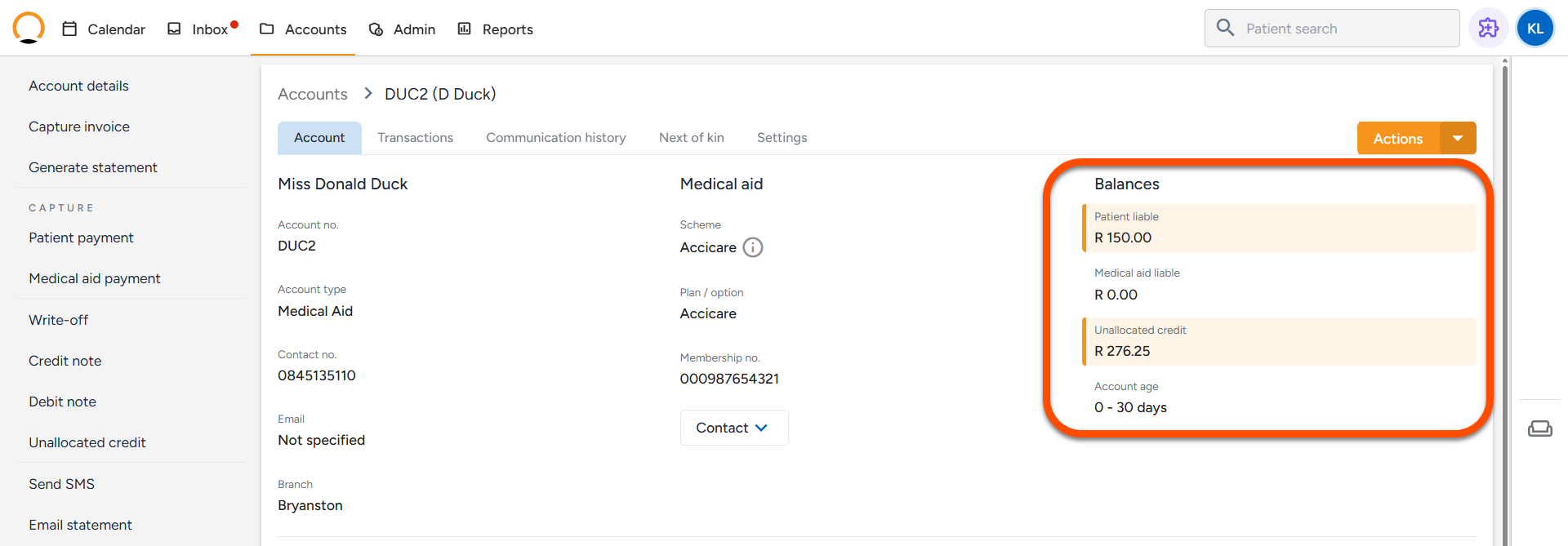
An unallocated credit refers to a payment recorded on a patient’s account that has not yet been matched or applied to a specific invoice. In essence, it represents funds received by the practice that remain on the account without an associated charge. These amounts are displayed under the "Unallocated Credit" section within the balances area of the patient’s Account Details.
What can cause an unallocated credit occur?
- Overpayments: A patient or medical aid pays more than the total balance due on an invoice.
- Payments Without Invoices: Money is received (e.g., a deposit) before an invoice has been generated.
- Partial Allocations: A single payment is made (e.g., R500), but only a portion is applied to existing invoices (e.g., R350), leaving the remainder (R150) as unallocated.
How to allocate an unallocated credit.
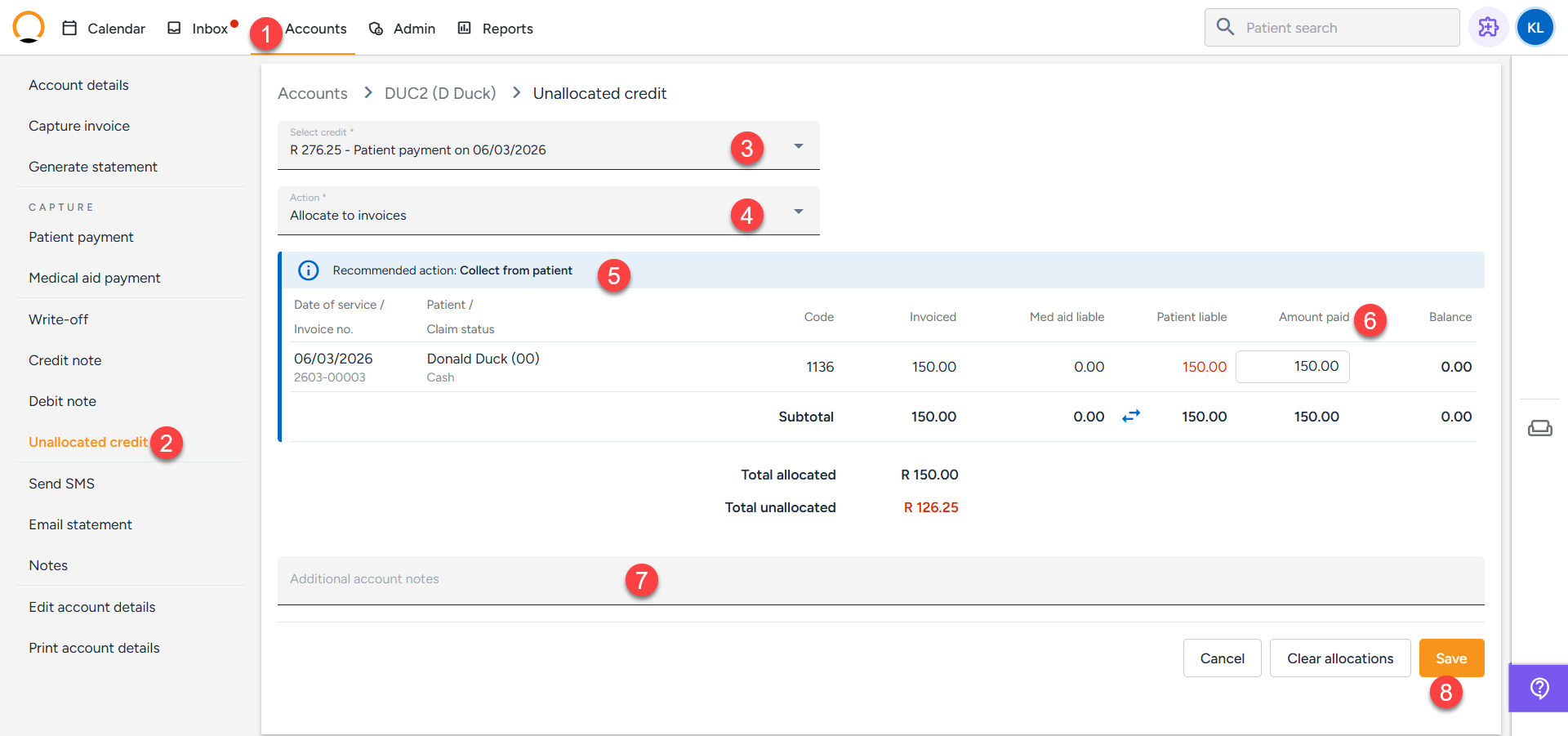
- Navigate to the "Accounts" tab and locate the required account.
- Select the "Unallocated Credit" option.
- Select the credit form the Unallocated credit list arranged from the oldest to newest based on the payment date.
- Select the action "Allocate to invoices" from the action dropdown.
- The open invoices will be displayed. The system lists all open invoices with an outstanding balance.
- Specify the amounts in the "Amount paid" column next to the matching invoice line.
- The user has the option to add a note in the "Additional account notes" section.
- Click "Save.