Label Printing and Hardware Requirments
Here are some guidelines when considering label printing and hardware requirements
1. Hardware Requirements
Clients are responsible for sourcing thermal printers and labels.
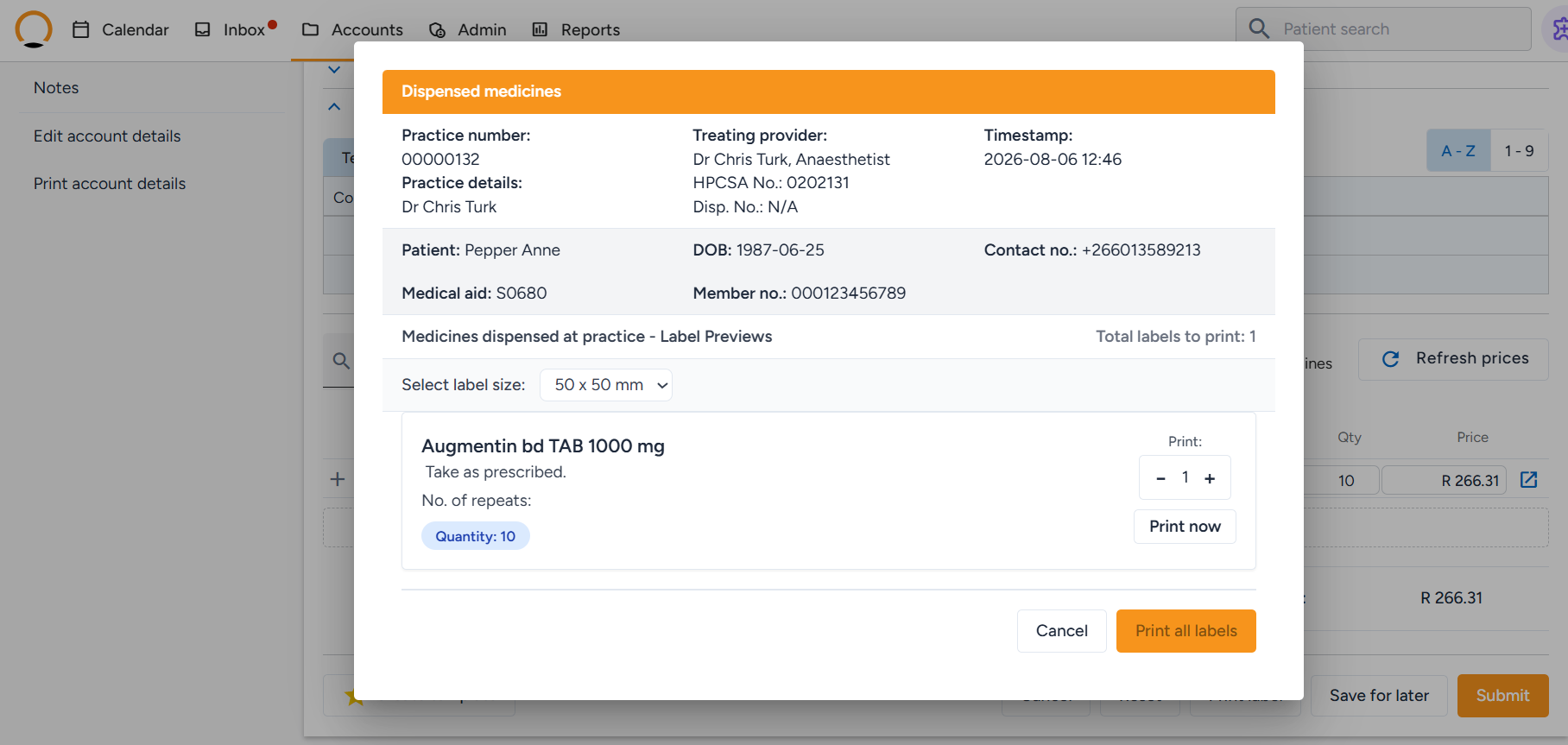
Label Specifications - Healthbridge Nova system is compatible with two specific label sizes:
- Size 1: 50mm x 50mm
- Size 2: 95mm x 35mm
Sourcing Labels - Labels must be thermal-compatible. Using standard stationary labels can melt and damage the printer due to the heat involved in the thermal printing process.
2. Printer Specifications
- If a client already has a label printer, the required sizes (50mm x 50mm or 95mm x 35mm).
- If the client needs to buy a printer, a Thermal Transfer or Direct Thermal printer can be used.
Thermal Transfer is highly recommended as it uses a wax ribbon, which provides longer-lasting print quality
Important Note: Clients must ensure they purchase the correct wax ribbon (110mm) if using a thermal transfer printer
3. How to activate label printing
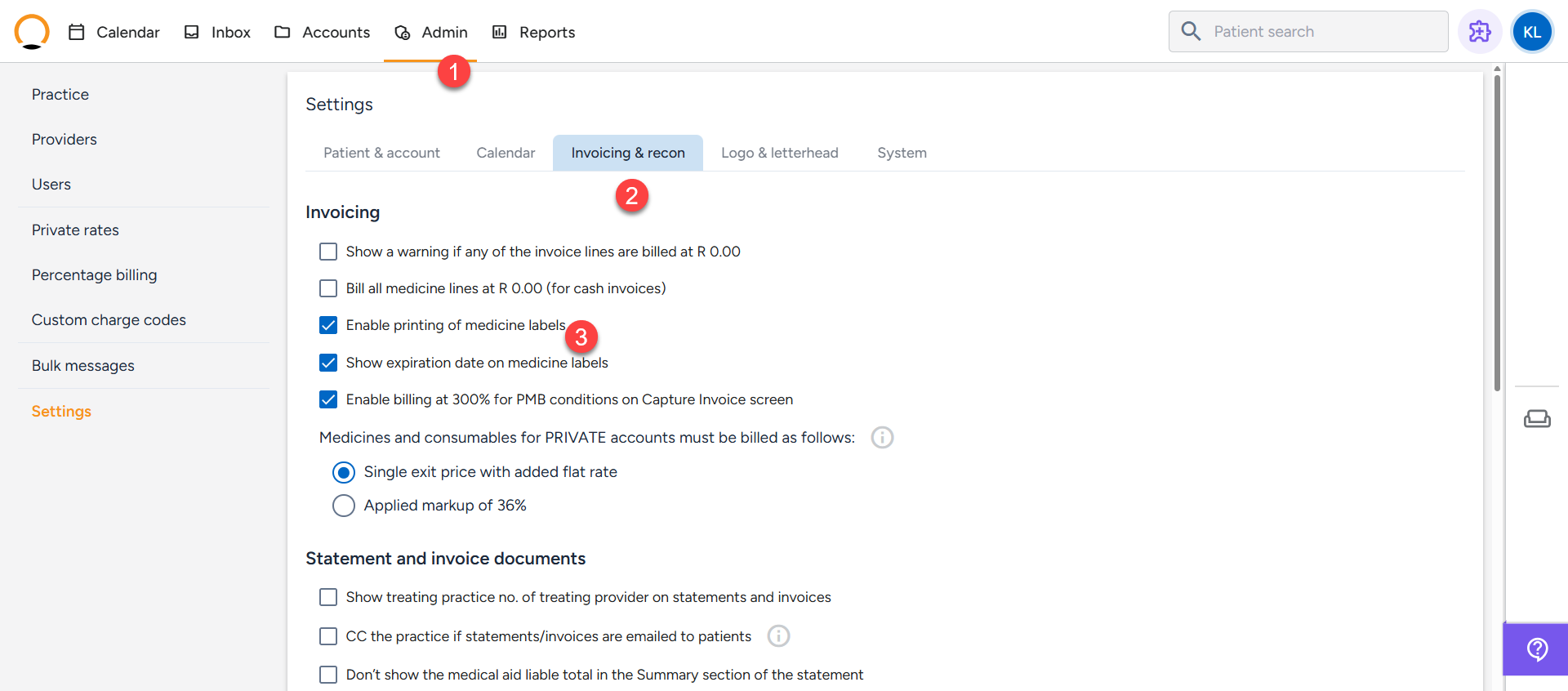
- Navigate to the "Admin" tab and click on settings.
- Select the "Invoicing & Recon" option.
- Enable the label printing settings.
4. How to print labels
- Once the settings have been activated, the user can proceed to capture an invoice as normal.
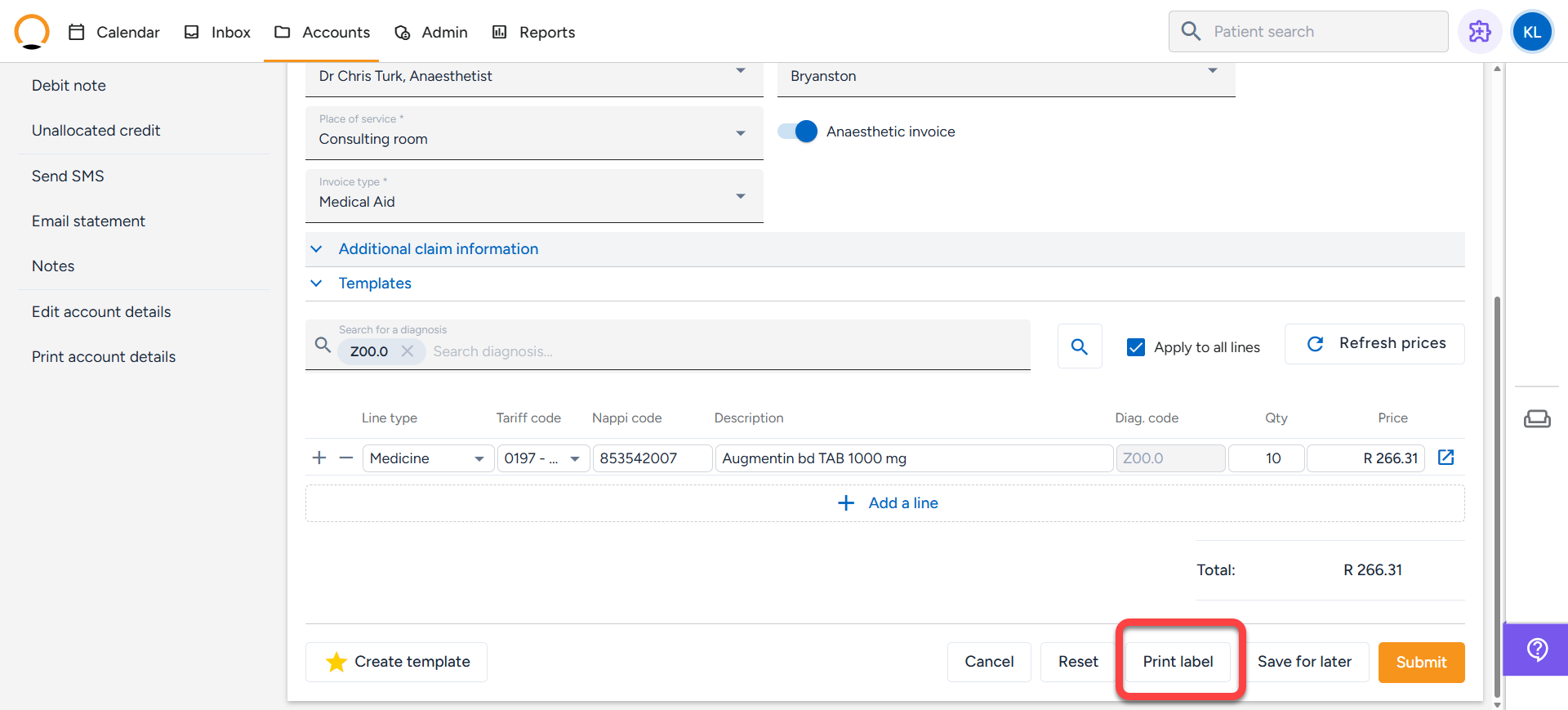
- Before submission of the claim the user can select the "Print Label" option