How to add a Credit Note
A credit note reduces or settles a patient’s outstanding balance. It helps practices manage accounts efficiently and keep accurate records by formally adjusting amounts owed when full payment isn’t expected.
How to add a Credit Note
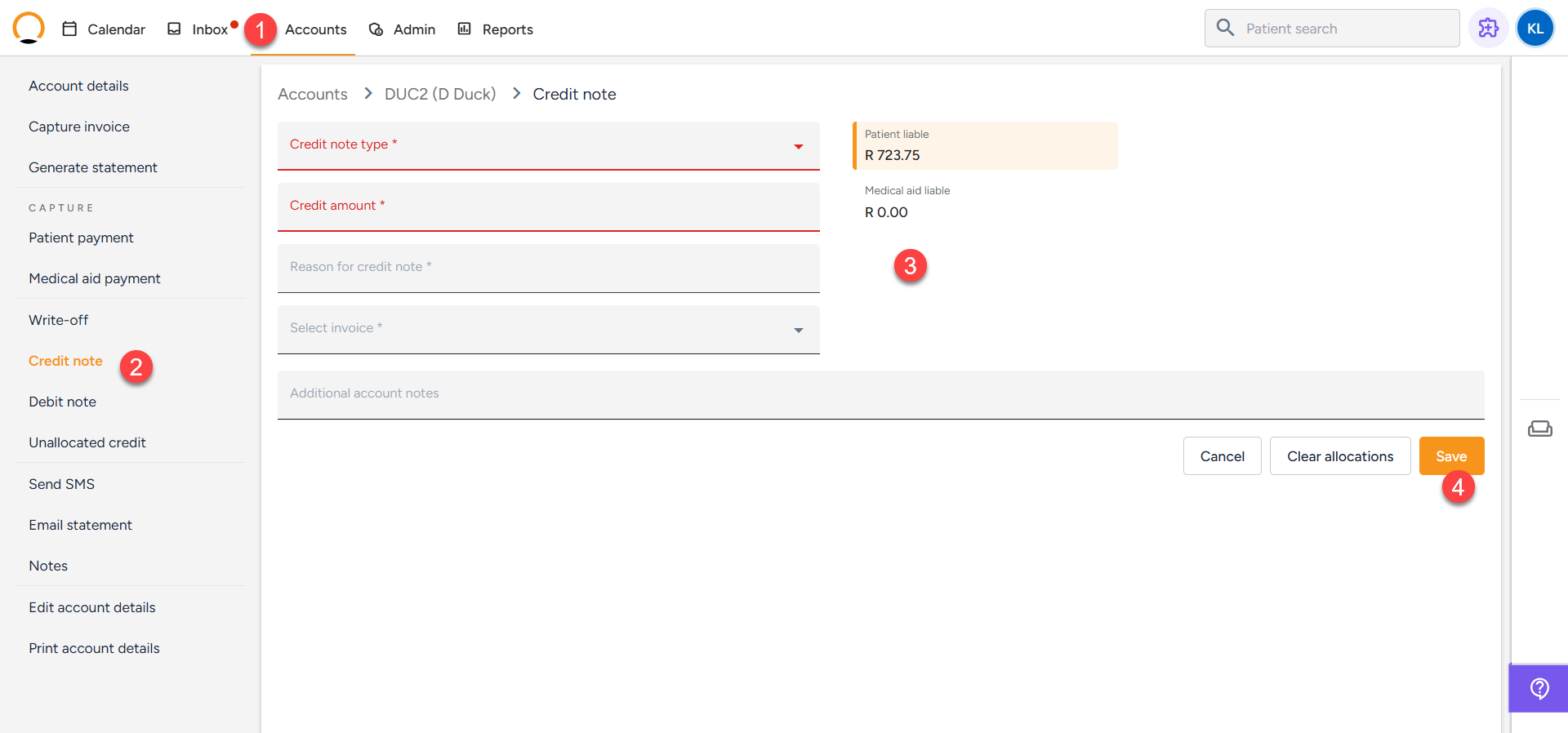
- Click on the "Accounts Tab" and search the required account.
- Select the "Credit Note" option.
- Complete the details for the credit note
- Select "Save".