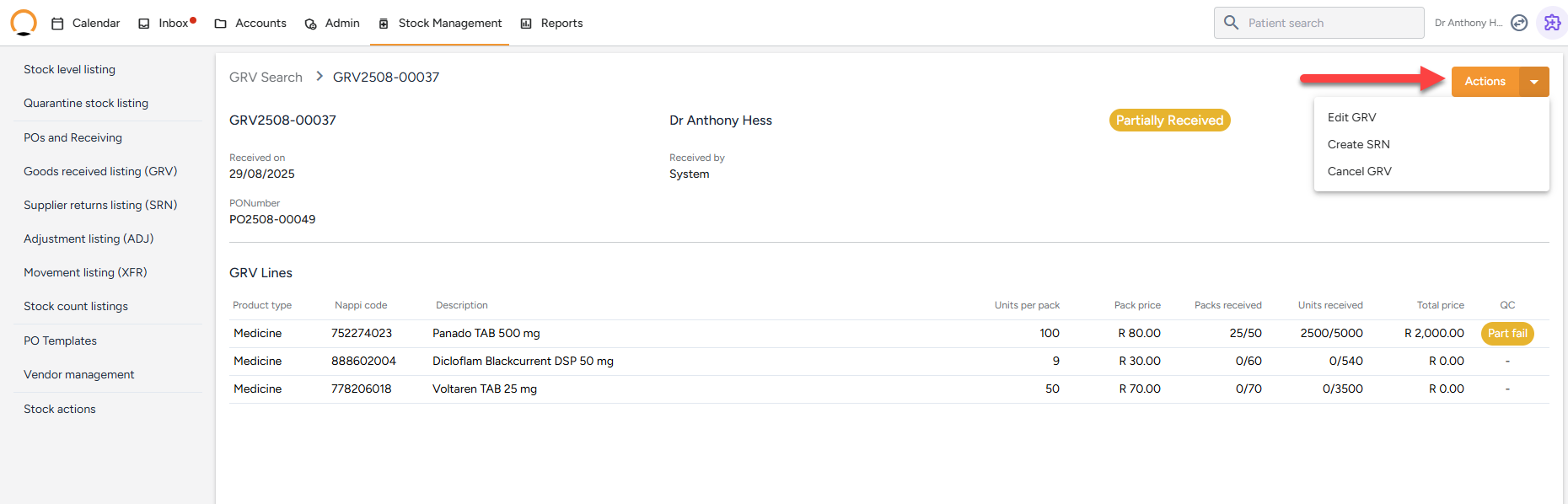
Goods Received Listing (GRV)
GRV = Goods Received Voucher. This listing shows:
- All past receiving events
- Linked items, dates, quantities, and batch data
- It’s a full audit trail of what was ordered and received into the system.

How to locate a GRV
- Navigate to " Stock Management "
- Select the "Goods Recieved Listing" option.
- Each entry will display item,quantity,Batch No.,Supplier, and status(recieved/fail) This can be used for stock audits and accountability.
- The user also has quick "Actions" to manage the GRVs.